

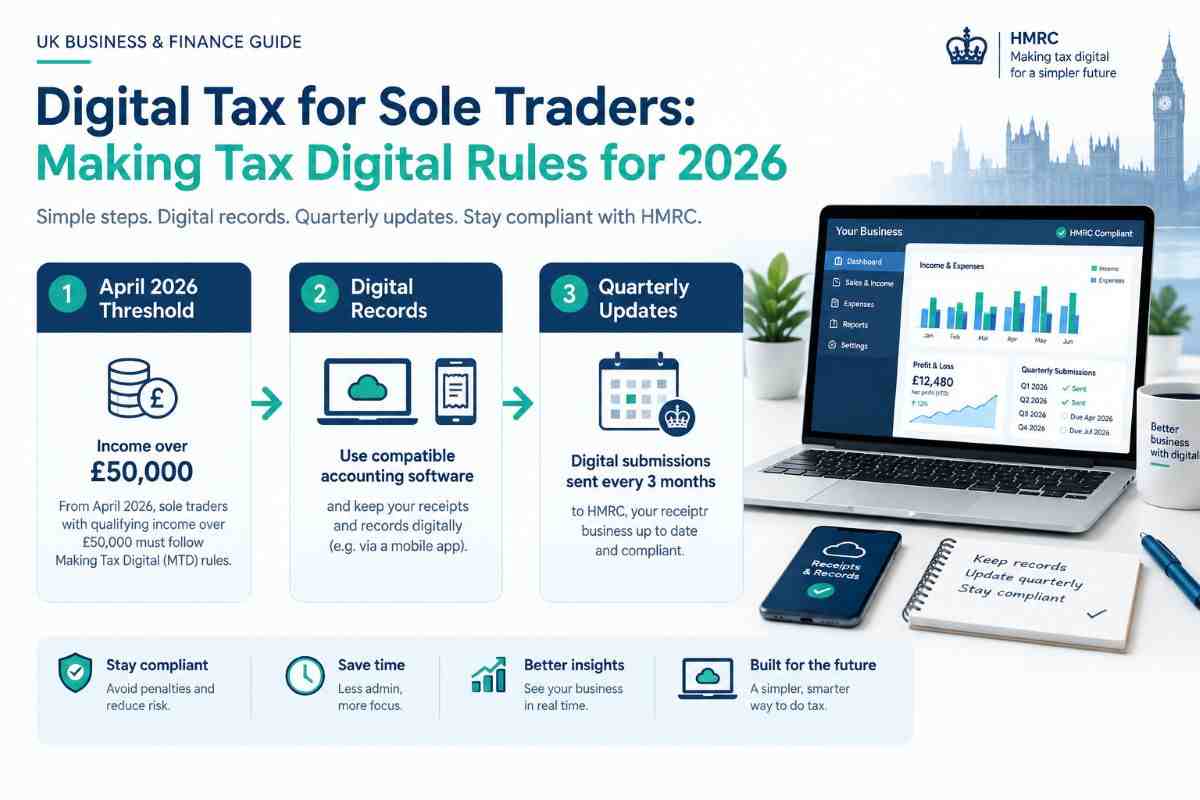
Making Tax Digital for Income Tax is changing how self-employed people keep records and report their earnings to HM Revenue & Customs (HMRC). Since 6 April 2026, sole traders and landlords with qualifying income above £50,000 have been required to use compatible software to maintain digital records and send quarterly updates.
The rollout will expand to more people in the coming years. If you are a sole trader, freelancer or self-employed professional, understanding the rules now can help you choose suitable software, prepare your records and avoid missed deadlines.
This guide explains who needs to comply, the 2026–2028 deadlines, how quarterly reporting works, and what to look for in Making Tax Digital software.
Table of Contents
What Is Making Tax Digital for Sole Traders?
Making Tax Digital (MTD) for Income Tax is HMRC’s system for managing income tax records and reporting digitally. Instead of relying only on traditional Self Assessment records, affected sole traders must keep digital business records and submit quarterly updates through compatible software.
The system does not mean that you pay tax four times a year. Quarterly updates report income and expenses; they are not four separate tax returns or tax bills. You must still complete the relevant year-end tax return and pay tax by the usual deadline. HMRC’s official guidance explains the process.
The main requirements are to:
- Keep digital records of business income and expenses.
- Use compatible software to send quarterly updates.
- Review your figures and make any necessary adjustments.
- Submit your year-end tax return through compatible software.
- Continue paying tax by the applicable deadline.
Who Needs to Follow the Rules in 2026?
The start date depends on your qualifying income from self-employment and property, rather than your business profit.
| Qualifying income | Start date |
|---|---|
| More than £50,000 in the 2024–2025 tax year | 6 April 2026 |
| More than £30,000 in the 2025–2026 tax year | 6 April 2027 |
| More than £20,000 in the 2026–2027 tax year | 6 April 2028 |
These thresholds and dates are set out in HMRC’s current eligibility guidance.
What counts as qualifying income?
Qualifying income is the total income you receive from self-employment and property before deducting business expenses. If you earn money from both sources, HMRC considers the relevant income together when assessing the threshold.
For example, a sole trader with £42,000 in self-employment income and £12,000 in qualifying property income has £54,000 in combined qualifying income. That is above the £50,000 threshold for the first phase, subject to the other eligibility conditions.
Do not confuse turnover with profit. If your business receives £55,000 and you spend £20,000 on allowable expenses, your profit may be £35,000, but your qualifying income can still exceed the £50,000 threshold.
Are all sole traders affected?
No. The rules apply to people who meet the relevant income threshold and other eligibility conditions. Exemptions may be available in certain circumstances, including digital exclusion.
If you are unsure when the rules apply to you, use HMRC’s online eligibility checker rather than relying on your profit figure alone.
Making Tax Digital Deadlines for 2026–2027
Once you are required to use MTD for Income Tax, you must send quarterly updates through compatible software. For the 2026–2027 tax year, the standard deadlines are:
| Requirement | Deadline |
|---|---|
| First quarterly update | 7 August 2026 |
| Second quarterly update | 7 November 2026 |
| Third quarterly update | 7 February 2027 |
| Fourth quarterly update | 7 May 2027 |
| Self Assessment tax return for 2025–2026 | 31 January 2027 |
| Final tax return for the 2026–2027 MTD year | 31 January 2028 |
The quarterly dates are confirmed in HMRC’s MTD quarterly update guidance.
If you are already in the first group, the first two quarterly deadlines have passed as of October 2026. If you have not signed up or submitted an update, check your position with HMRC or your accountant promptly. HMRC began signing up eligible people who had not enrolled themselves from September 2026.
The first-year penalty arrangements are also worth understanding. HMRC has said it will not issue penalty points for late quarterly updates during the 2026–2027 tax year. This does not remove the reporting requirement, and separate penalties can still apply to late tax returns or tax payments.
How Do Quarterly Updates Work?
Quarterly updates give HMRC a summary of your business income and expenses during the reporting periods. They are intended to keep your records current throughout the tax year.
A typical process looks like this:
- Record transactions: Enter sales, business income and expenses into your compatible software.
- Check your records: Make sure transactions are complete and correctly categorised.
- Submit the quarterly update: Send the required information to HMRC by the deadline.
- Review your tax position: Use the available figures to help plan for your potential tax bill.
- Complete the year-end return: Check the full-year information, add relevant income and adjustments, claim applicable reliefs and submit the return.
Quarterly updates are cumulative, meaning later updates include information from earlier periods in the same reporting year. They do not replace the final tax return.
Choosing Making Tax Digital Software
HMRC does not provide its own bookkeeping application for MTD for Income Tax. You need compatible software that supports the tasks you are required to complete.
You can choose an all-in-one accounting product or combine bookkeeping software with a compatible bridging solution. HMRC provides a software finder to help you check which products support the necessary functions.
Popular software options to compare
- QuickBooks: Worth considering if you want bookkeeping, expense tracking, invoicing and tax-reporting features in one place.
- Xero: A potential fit for freelancers and sole traders who need invoicing, bank reconciliation and a broader accounting workflow.
- FreeAgent: Worth checking if you want accounting features designed for small businesses and self-employed users. Eligibility for free access may depend on your banking arrangements or other offers.
- Sage Accounting: An option for businesses that want accounting, invoicing and financial reporting tools alongside digital tax compliance.
- Spreadsheets with bridging software: You may be able to keep using spreadsheets for your records, provided the setup meets HMRC’s digital-record requirements and compatible software can transfer the required information to HMRC.
These products have different plans, limitations and MTD functions. Before subscribing, verify the exact product and plan in HMRC’s current software finder. Do not assume that every version of an accounting package supports all MTD for Income Tax requirements.
What should you check before buying?
Compare software on more than its monthly price. Check that it can:
- Maintain digital records of the income sources you need to report.
- Categorise and track business expenses.
- Submit quarterly updates to HMRC.
- Support your year-end tax return and relevant adjustments.
- Handle any additional income sources you need to declare.
- Connect with your bank, accountant or existing bookkeeping system where required.
If you already work with an accountant, ask which software they support before moving your records to a new platform.
How to Prepare Your Business for Making Tax Digital
Getting ready early can make digital tax reporting easier, even if your mandatory start date is still in the future.
First, check your qualifying income using the correct tax year and HMRC’s eligibility tool. Next, review your current bookkeeping process and identify where receipts, invoices or expense records are missing.
Choose compatible software before your start date and learn how to record transactions consistently. If you use a spreadsheet, confirm that the full setup—including any bridging software—meets HMRC’s requirements.
Finally, put all quarterly deadlines and your annual tax-return deadline in your calendar. Regular bookkeeping is generally easier to manage than trying to reconstruct several months of transactions just before a submission.
Frequently Asked Questions
Does Making Tax Digital mean I pay tax every three months?
No. Quarterly updates report business income and expenses; they are not separate quarterly tax returns or automatic quarterly tax payments. You must still submit your year-end return and pay the tax due by the relevant deadline.
Is Making Tax Digital compulsory for every sole trader?
No. It is being introduced in stages based on qualifying income and other eligibility conditions. The first phase began on 6 April 2026 for eligible people with qualifying income above £50,000 in the 2024–2025 tax year.
Can I continue using Excel for Making Tax Digital?
Potentially, yes. You can keep using spreadsheets for digital records, but you will need a compliant setup and compatible bridging software to submit the required information to HMRC. Check the current HMRC guidance before relying on your existing spreadsheet.
What happens if I miss a quarterly update deadline?
You should submit the outstanding update as soon as possible and check HMRC’s current guidance. No penalty points are being issued for late quarterly updates during the first MTD tax year, 2026–2027, but the reporting requirement remains. Other tax-return and payment penalties may still apply.
Where can I check whether I need to sign up?
Use HMRC’s official Making Tax Digital eligibility checker. It can help you establish whether the rules apply and when you need to start.
Final Thoughts
Digital tax for sole traders is being introduced in stages, and the first phase is already underway. Check your qualifying income, confirm your start date and select software that supports both quarterly updates and your year-end return.
If you are required to comply in 2026 but have not yet signed up, review HMRC’s latest instructions now. If your start date is later, use the extra time to organise your records and choose a suitable system before the rules apply to you.
